Verify your student status
Happenings Web
Open your Happenings ID, review your status, and choose a supported student verification method.
Verify your student status from your account settings. Choose the school and verification method that applies to you.
- 1
Open Happenings ID
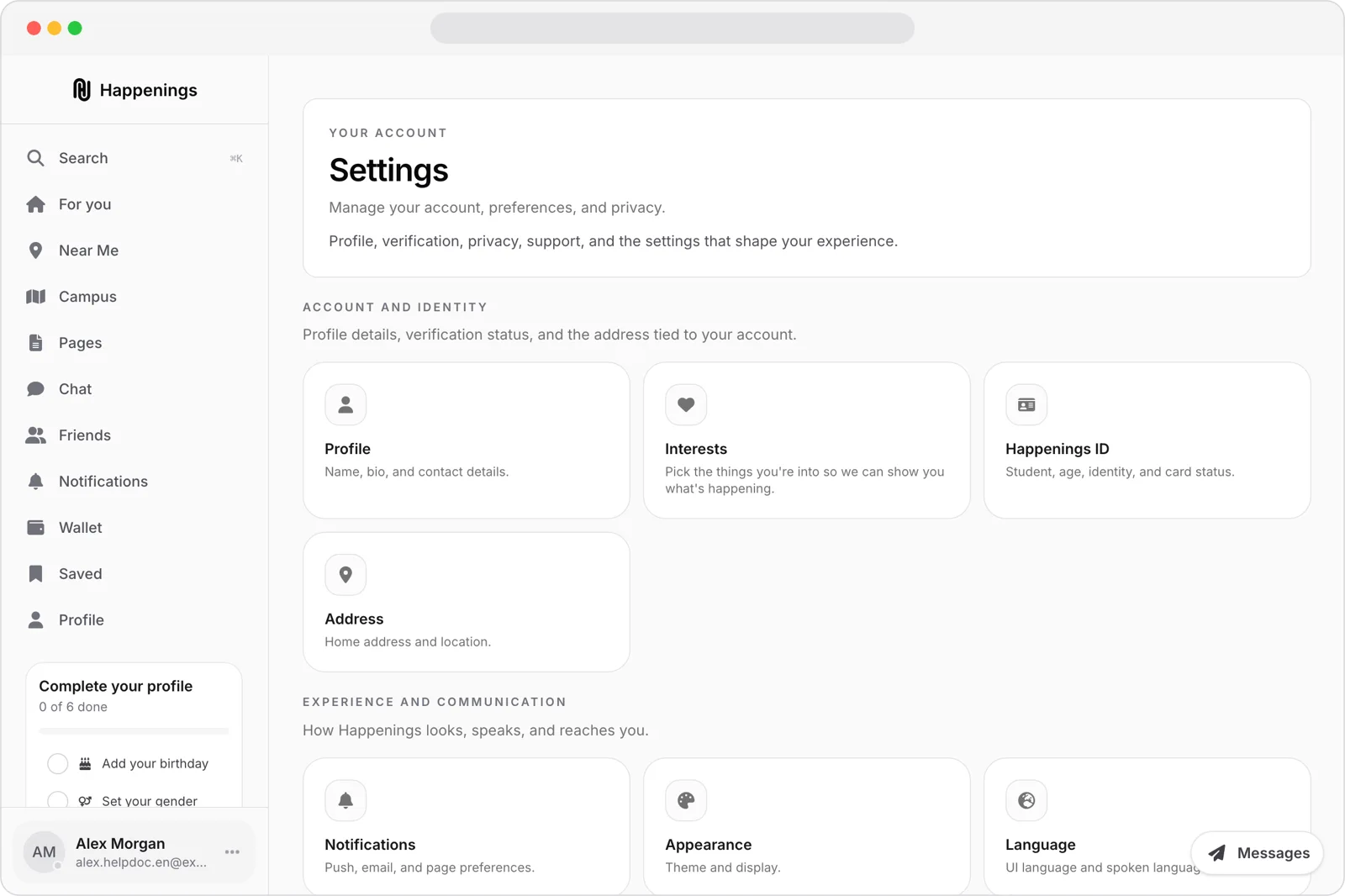
Open “Settings.” Under “Account and identity,” choose “Happenings ID.”
- 2
Review your status
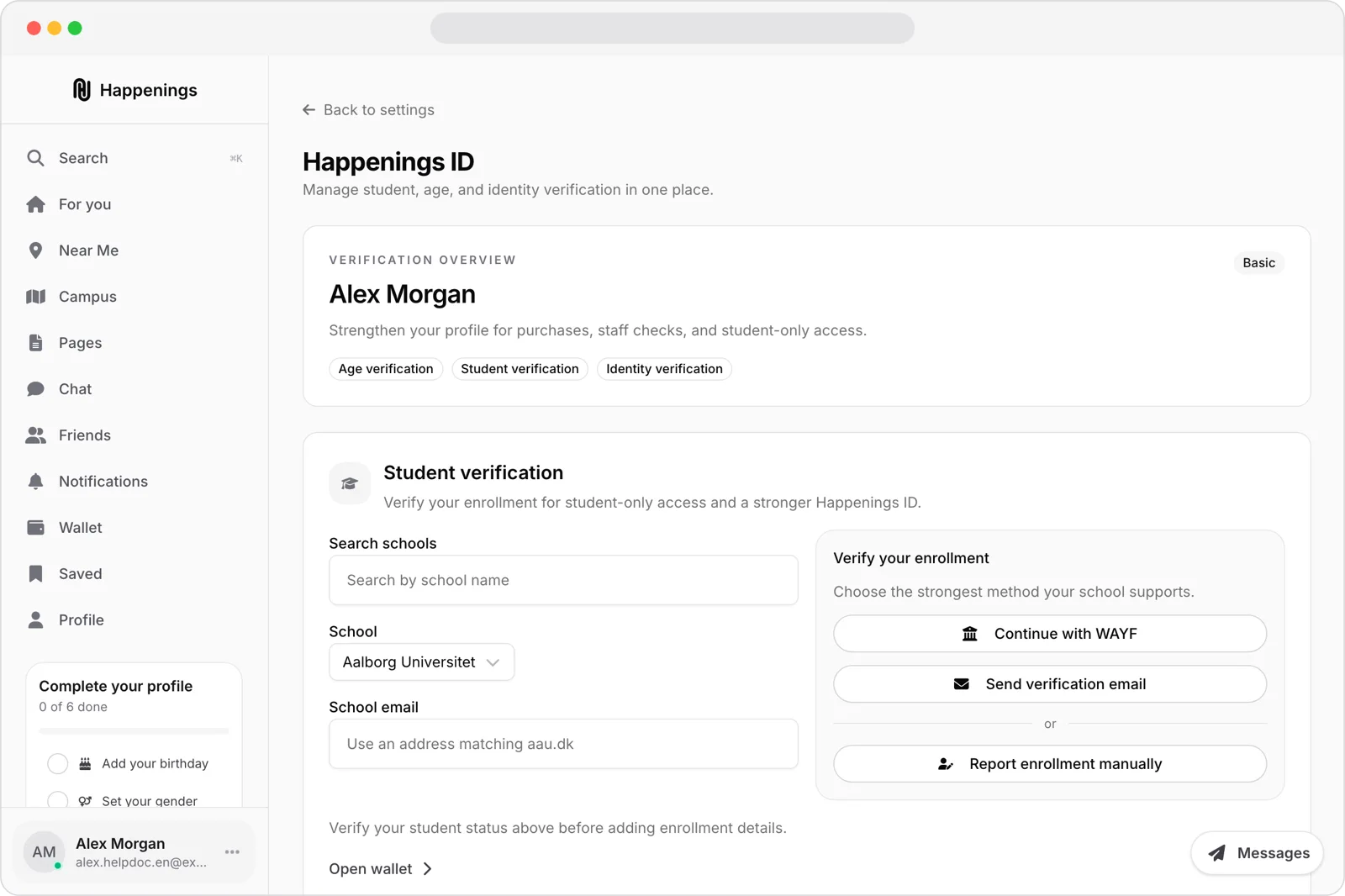
Review your current Happenings ID level and the listed verification options, including “Student verification.”
- 3
Choose a verification method
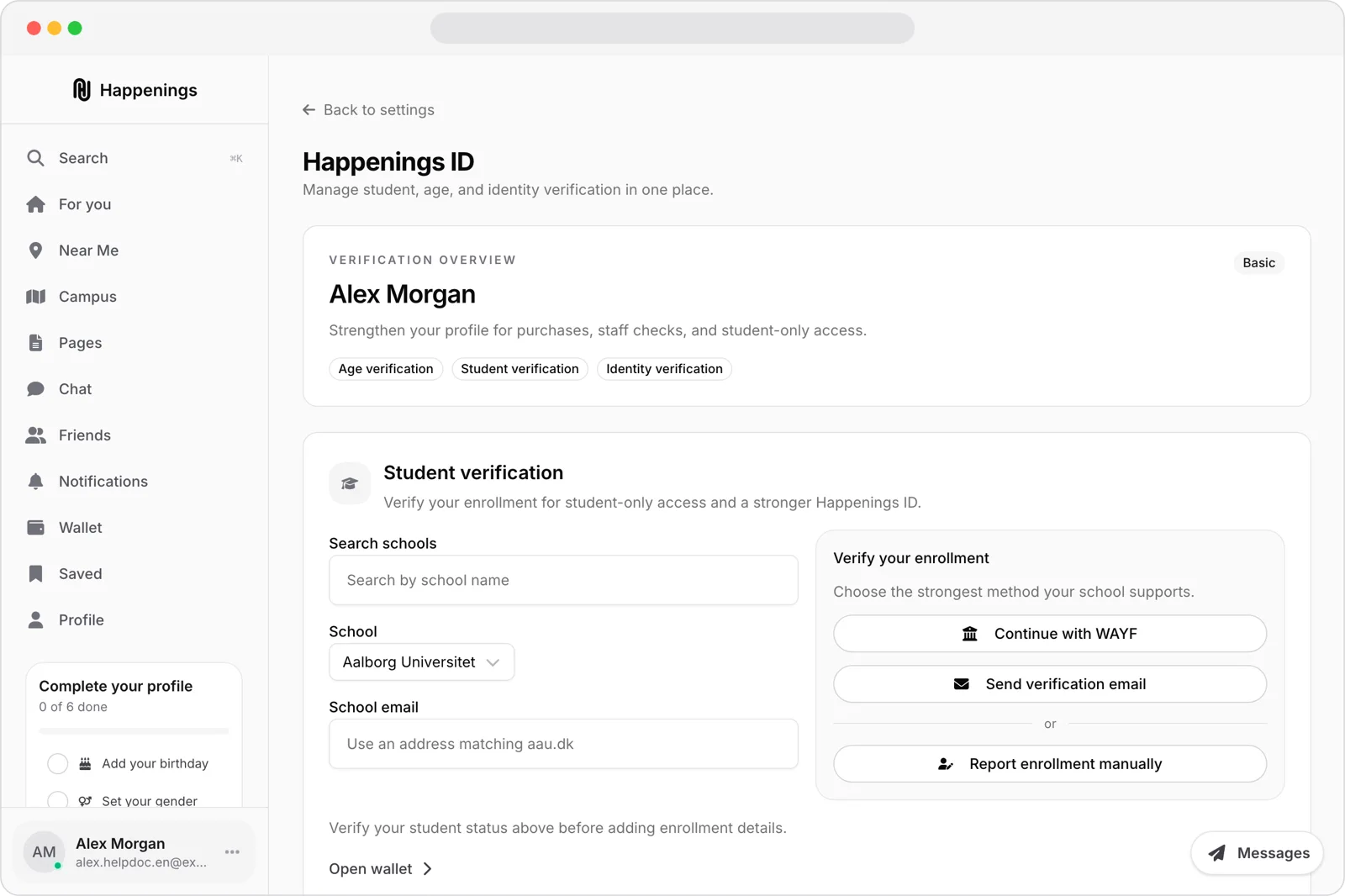
Search for your school, select it, and enter your school email if needed. Choose “Continue with WAYF,” “Send verification email,” or “Report enrollment manually.”
authonboardingguide