Refund an order
Connect Web
Find an order, open its details, and request a full or partial refund.
You can refund an order from the backoffice orders list. Make sure you have the refunds permission before you begin.
- 1
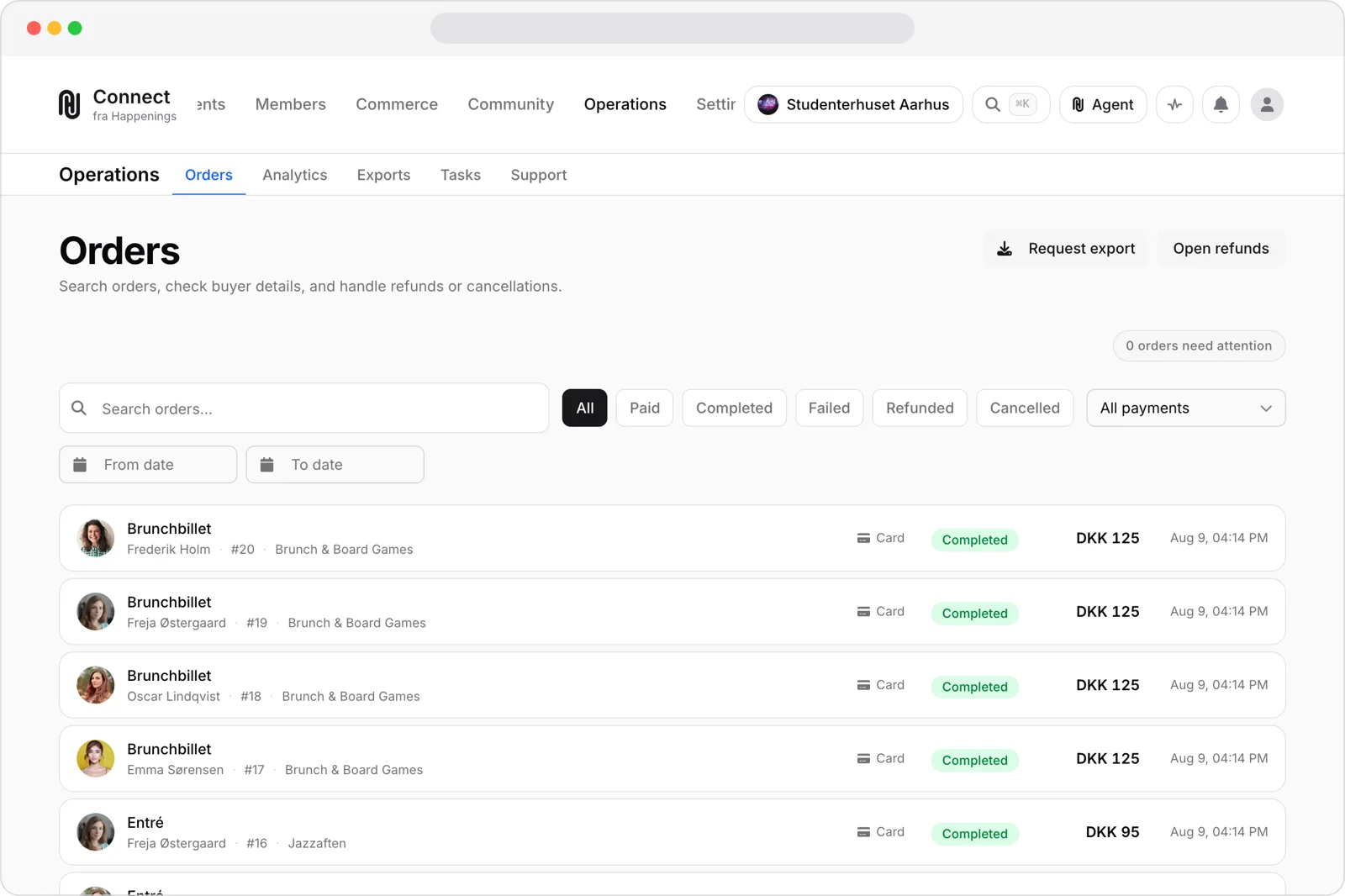
Find the order
Open Orders, then search or use the filters to find the order you want to refund.
- 2
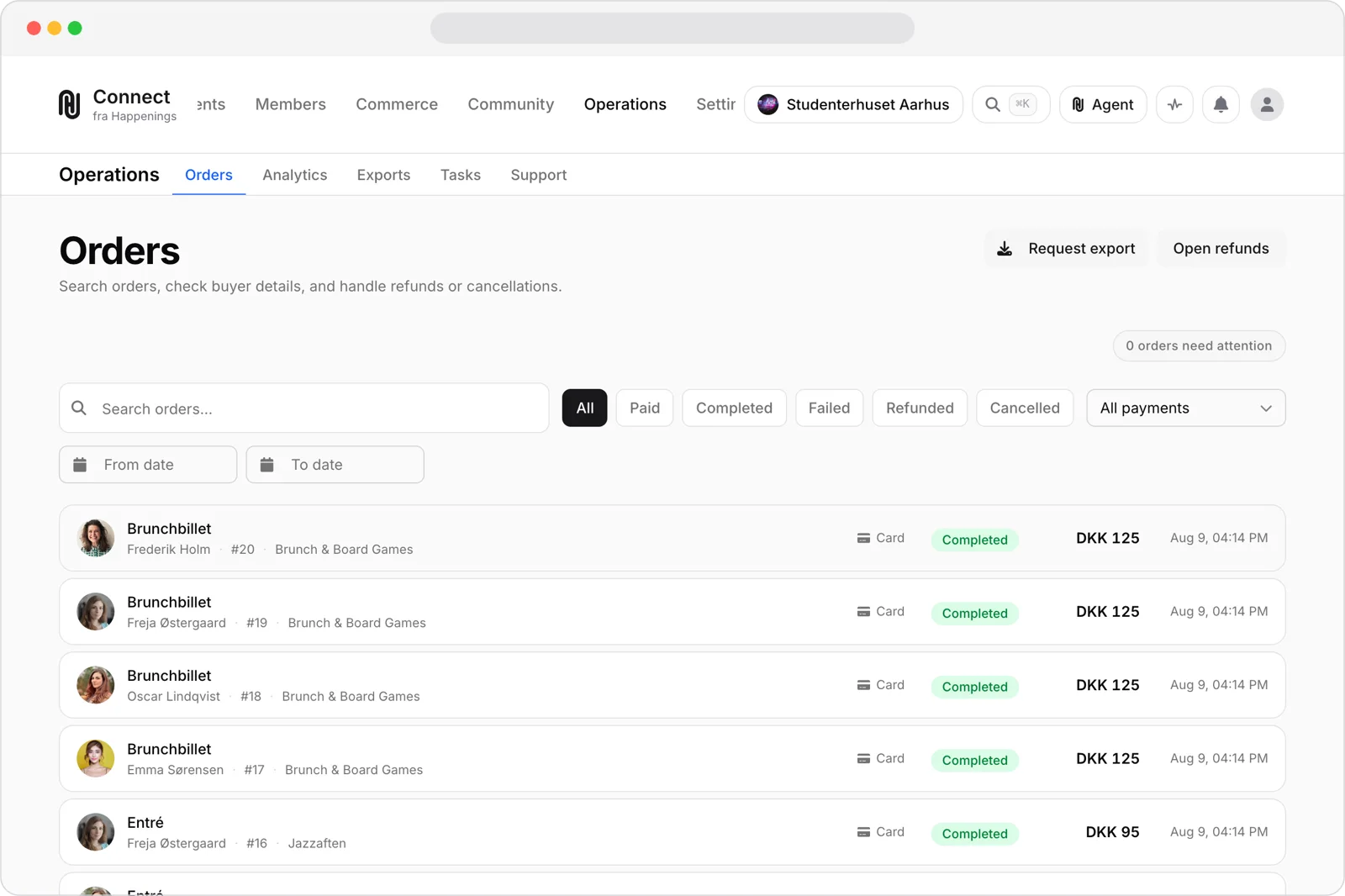
Open the order
Select the order to open its details. You need the refunds permission to see the refund action.
- 3
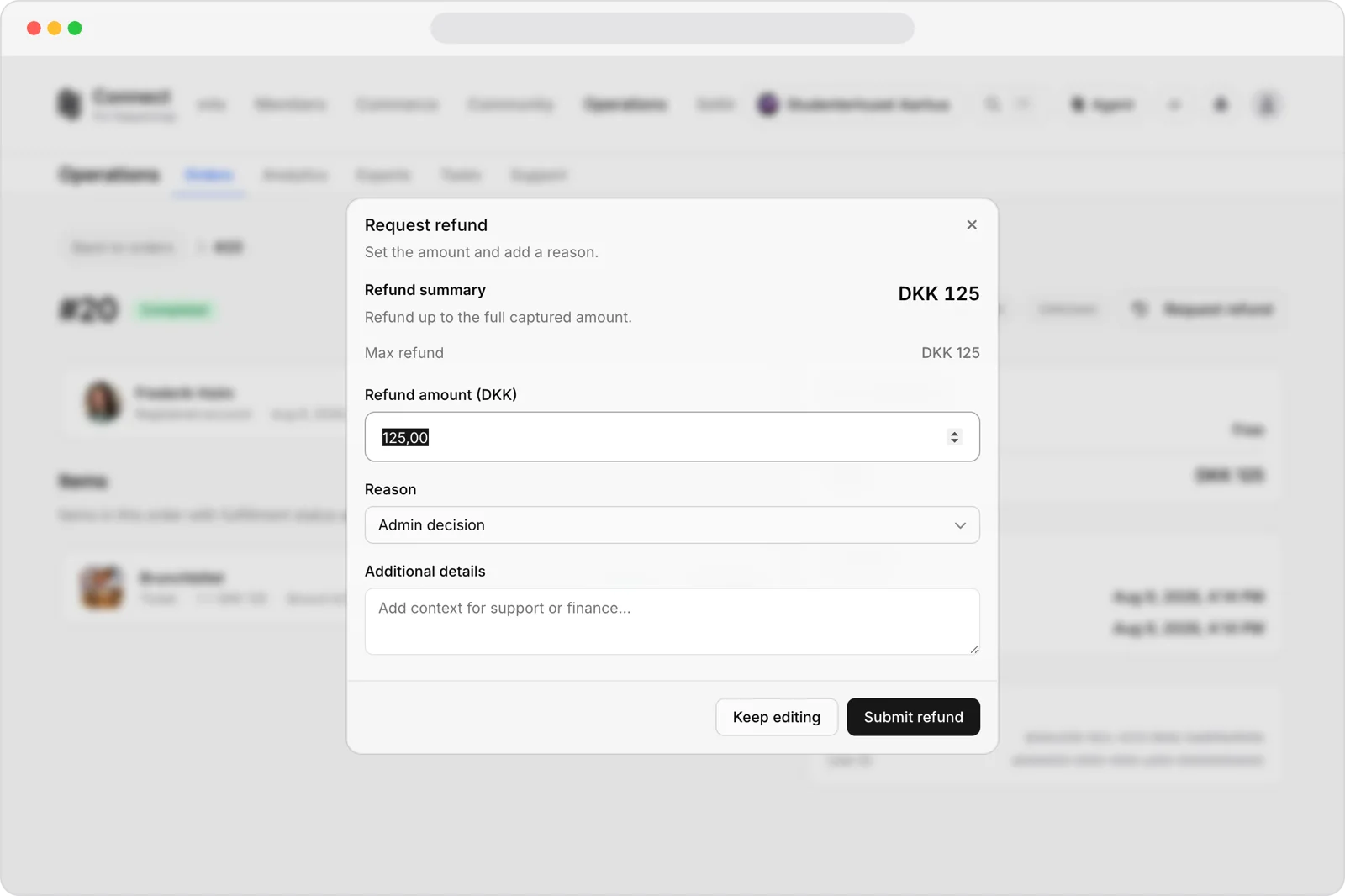
Request the refund
Open Request refund and enter a full or partial amount in Refund amount. Select a Reason, add Additional details if needed, then choose Submit refund.
paymentsrefundspage-adminguide