Review payouts and bank accounts
Connect Web
Use Finance to review your payout account, invoices, payout periods, statuses, and amount breakdowns.
You can review bank accounts and payout details from the backoffice Finance page. Follow these steps to check where your payouts go and how each amount is calculated.
- 1
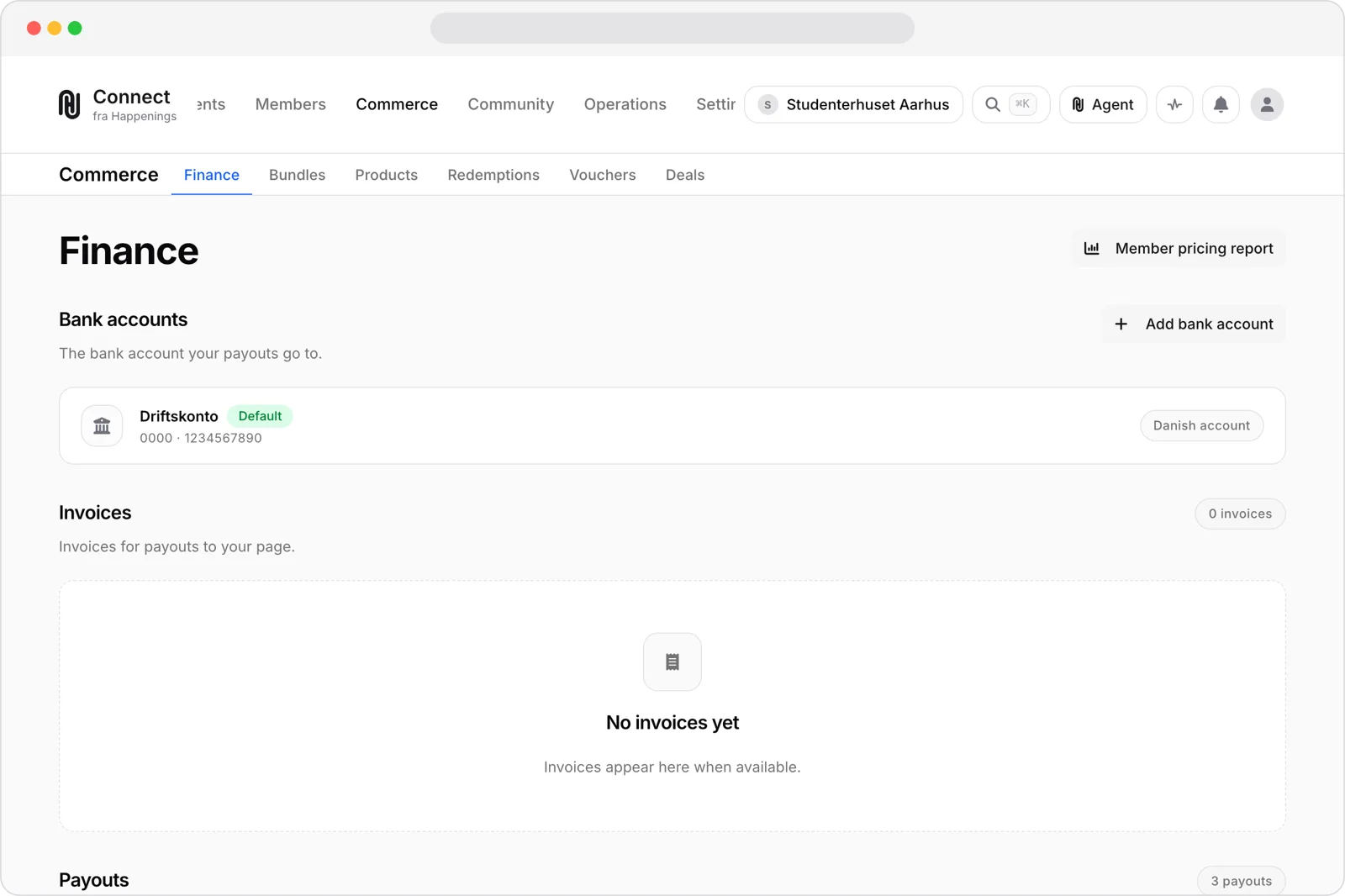
Open Finance
Open Commerce, then Finance. Review your bank accounts, invoices, payout periods, statuses, and amount breakdowns.
- 2
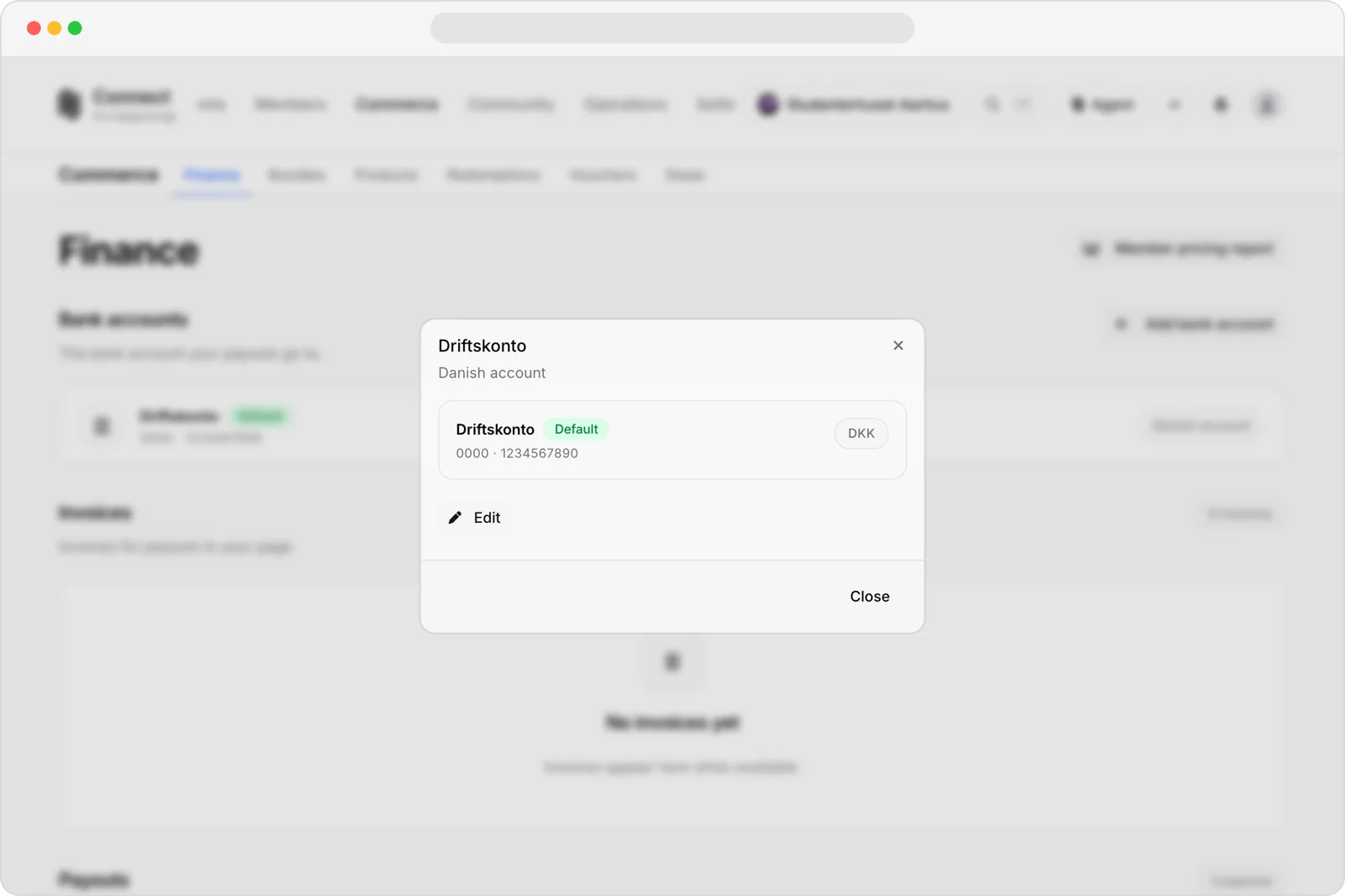
Review the payout account
Open the payout account. Check its masked account details and whether it is marked Default.
- 3
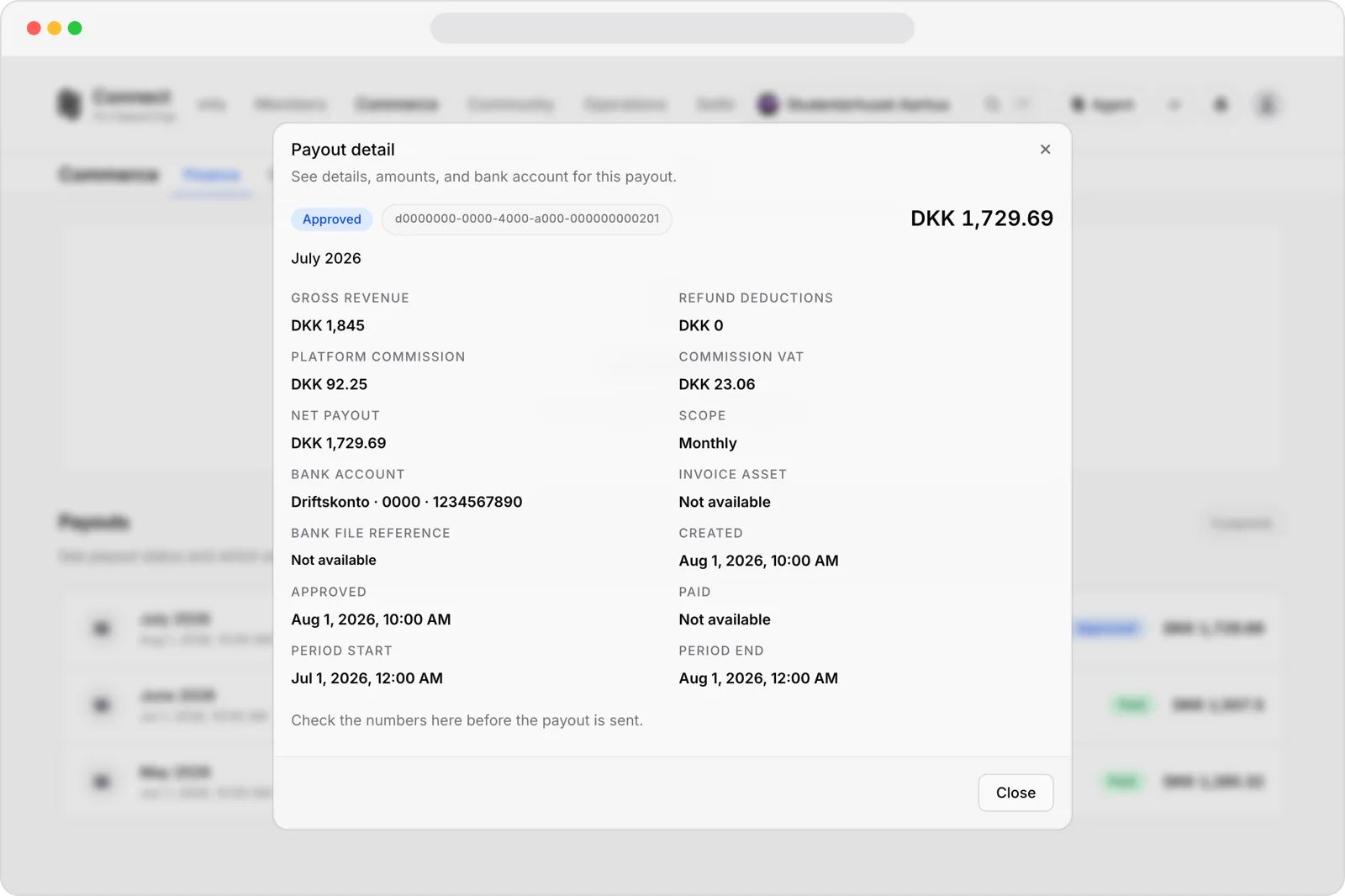
Open a payout
Open a payout to see its period, status, bank account, and revenue breakdown. Review the gross revenue, deductions, commission, VAT, and net payout.
paymentspayoutsbank-accountspage-adminguide