Manage or cancel your subscription
Review your current Happenings+ plan, compare billing cycles, or check the cancellation terms.
Open your subscription page to review your plan and billing details. You can compare the yearly price or review the cancellation terms before making a decision.
- 1
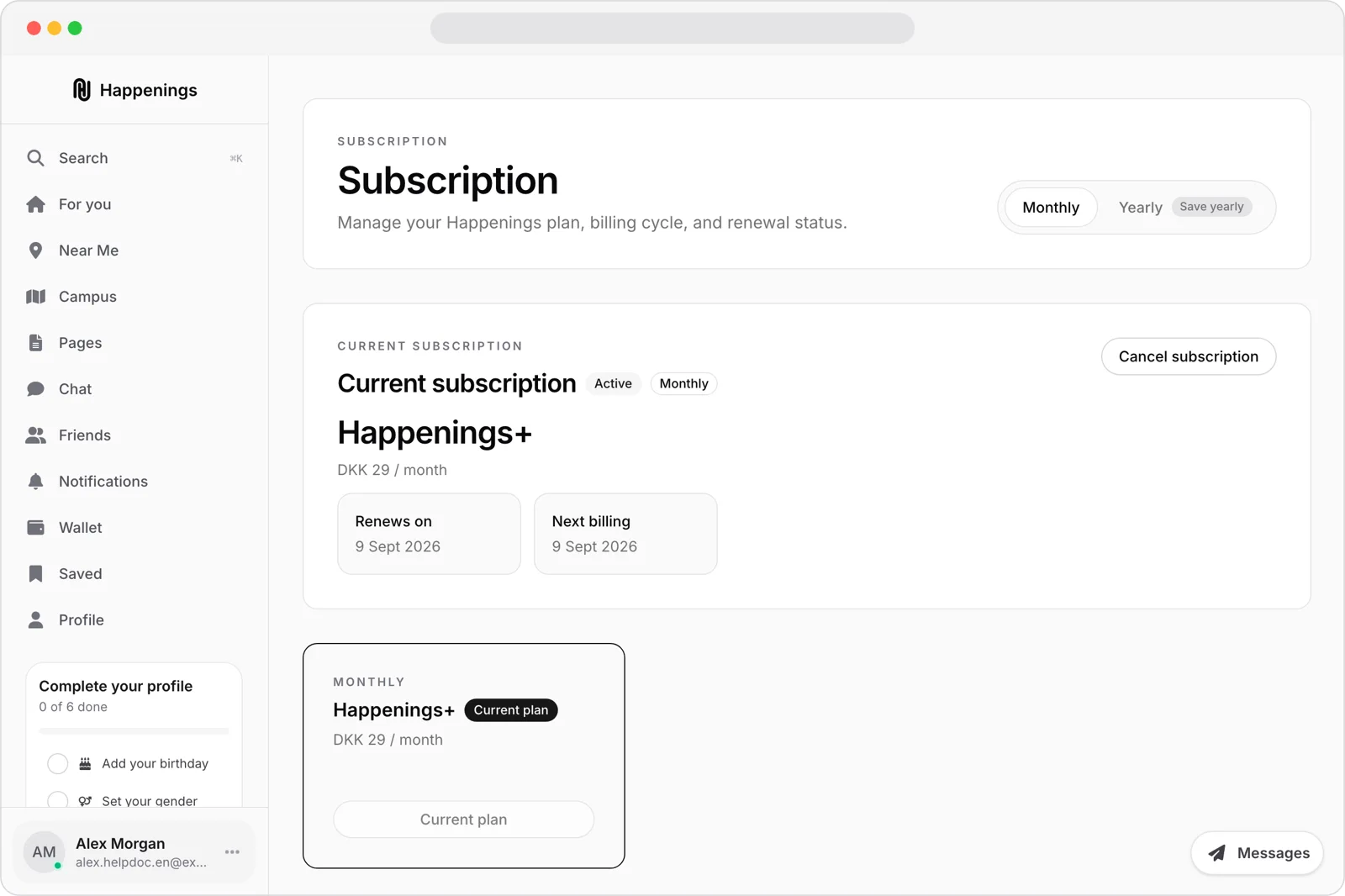
Review your subscription
Review your current plan, billing cycle, renewal date, next billing date, and available plans.
- 2
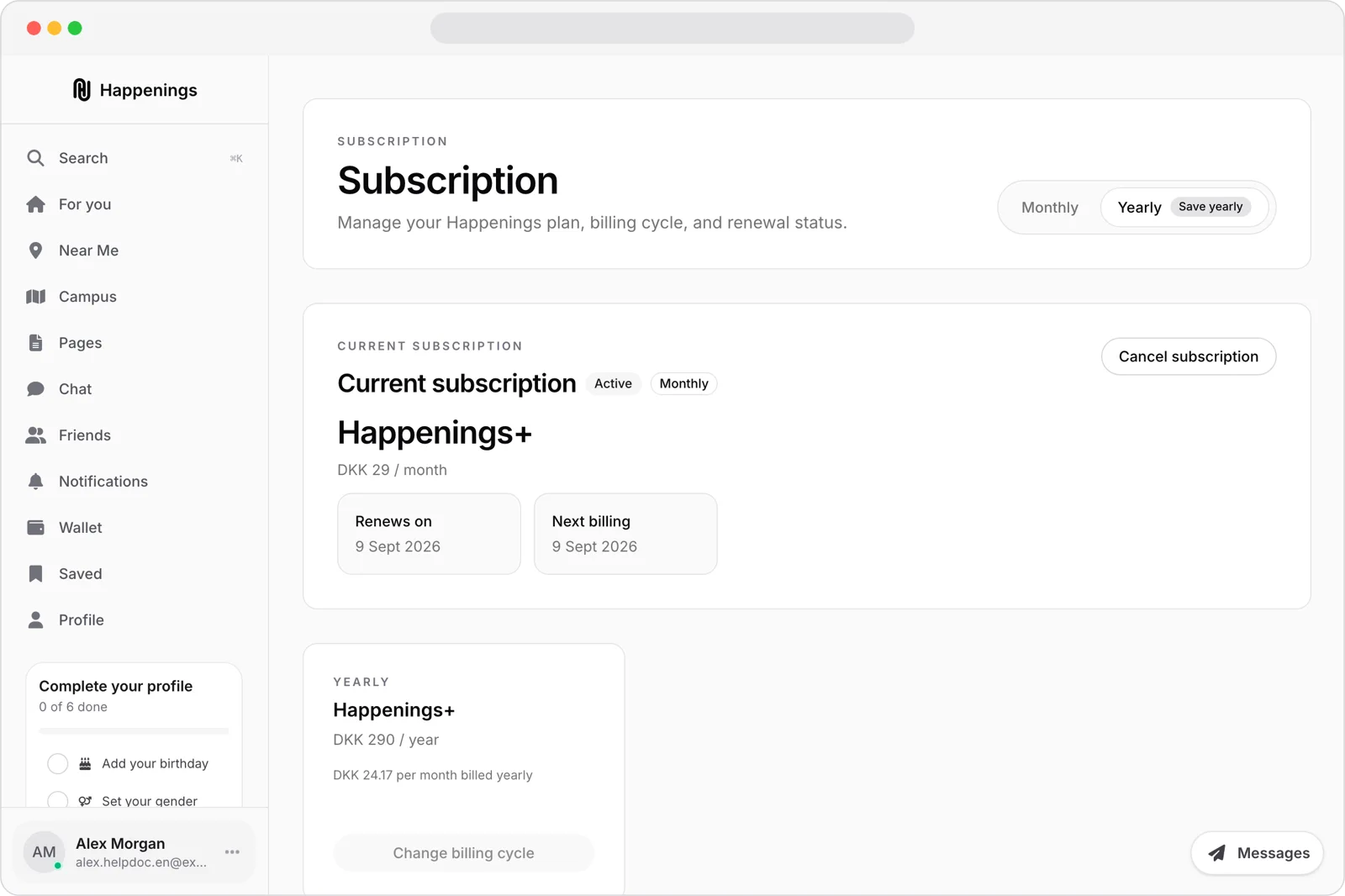
Compare the yearly price
Select “Yearly” to see the yearly price and its monthly equivalent. Review both amounts before choosing “Change billing cycle”.
- 3
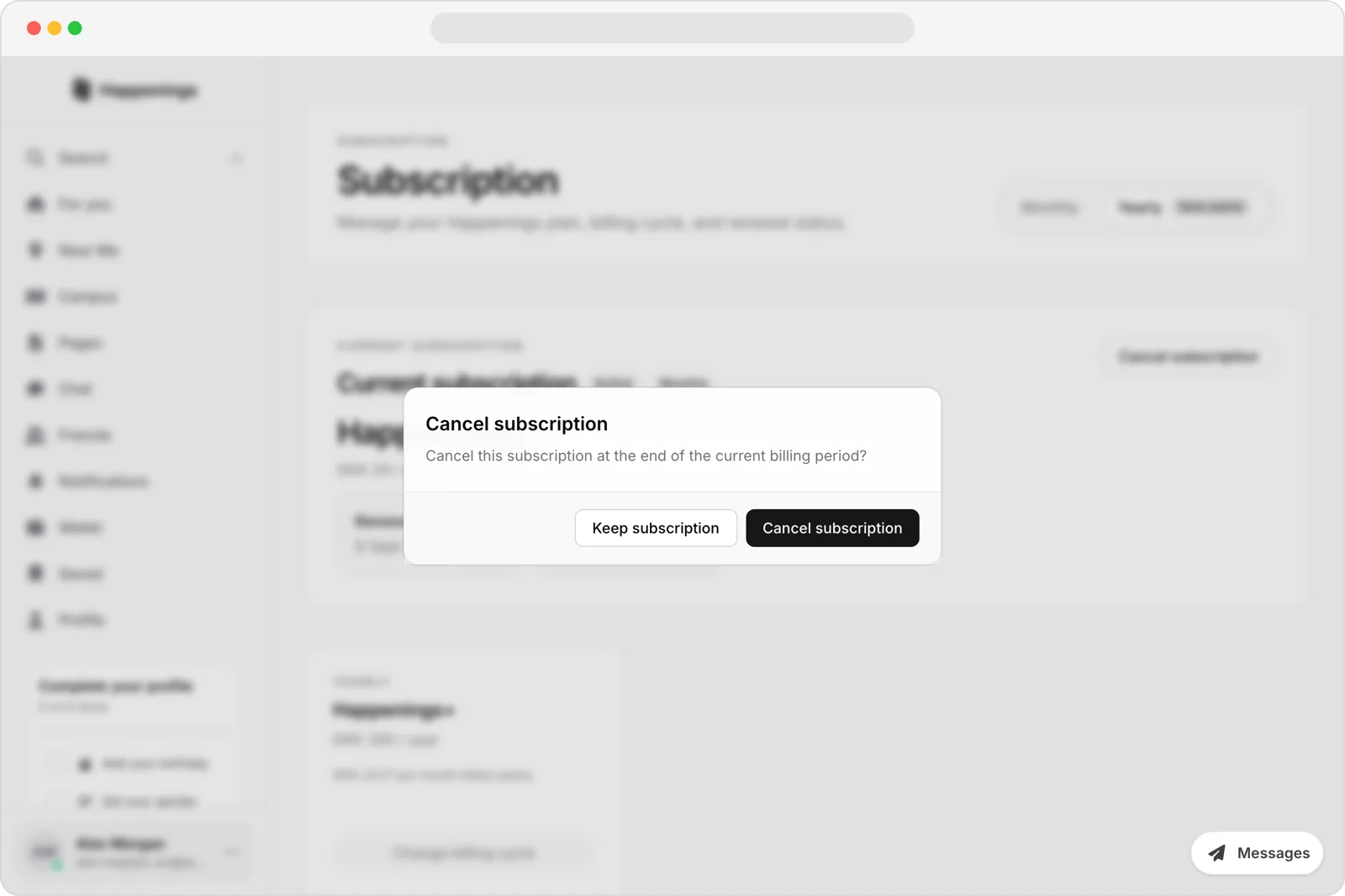
Review the cancellation terms
Select “Cancel subscription” to open the confirmation. Review that cancellation happens at the end of the current billing period, then select “Keep subscription” to leave it unconfirmed.
Review your current Happenings+ plan, compare billing cycles, or check the cancellation terms.