Join a page as a member
Happenings Web
Learn how to open a Happenings page and choose a membership.
Join a page to access its available membership options.
- 1
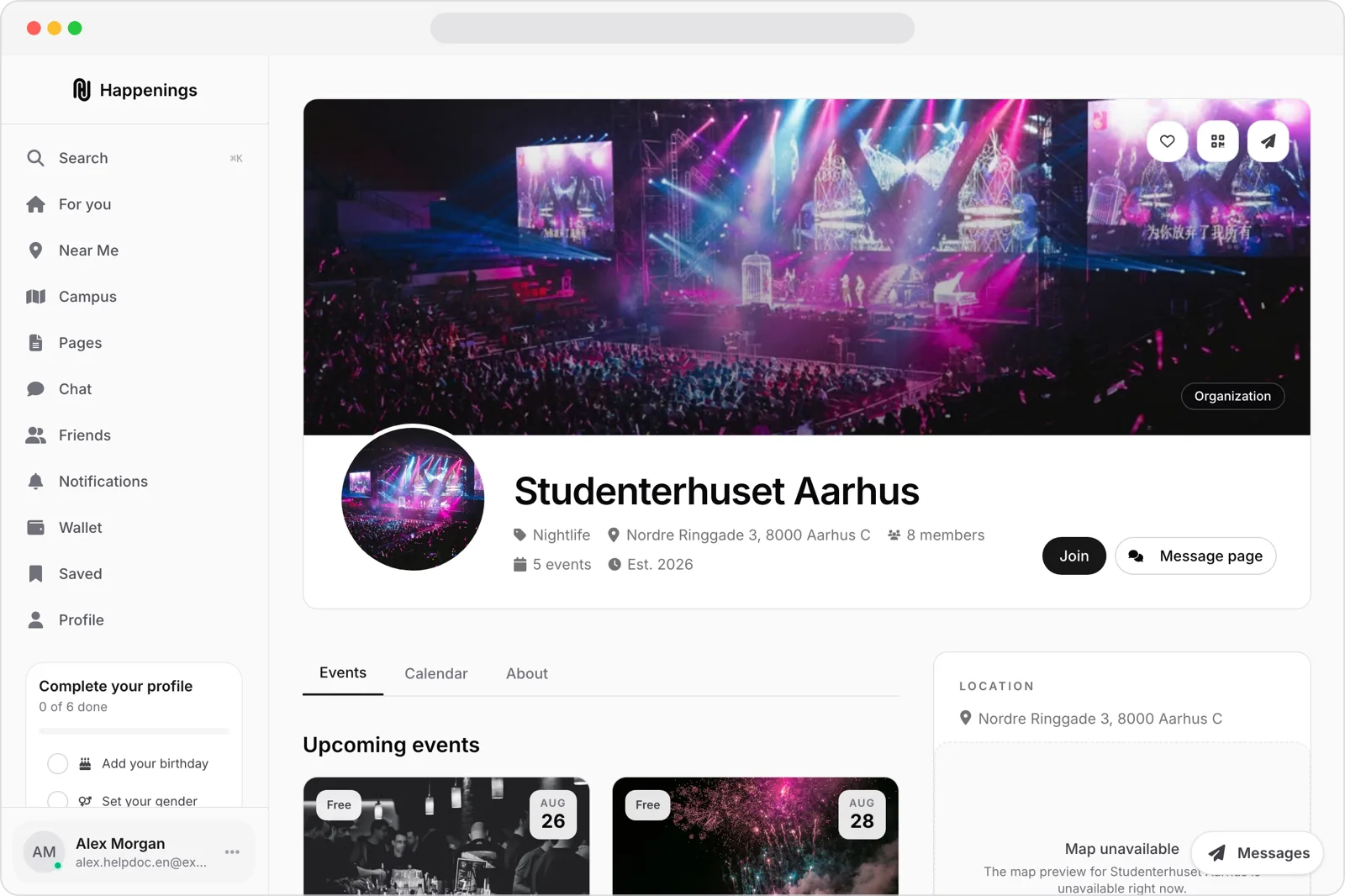
Open the page
Open the page you want to join, then select “Join.”
- 2
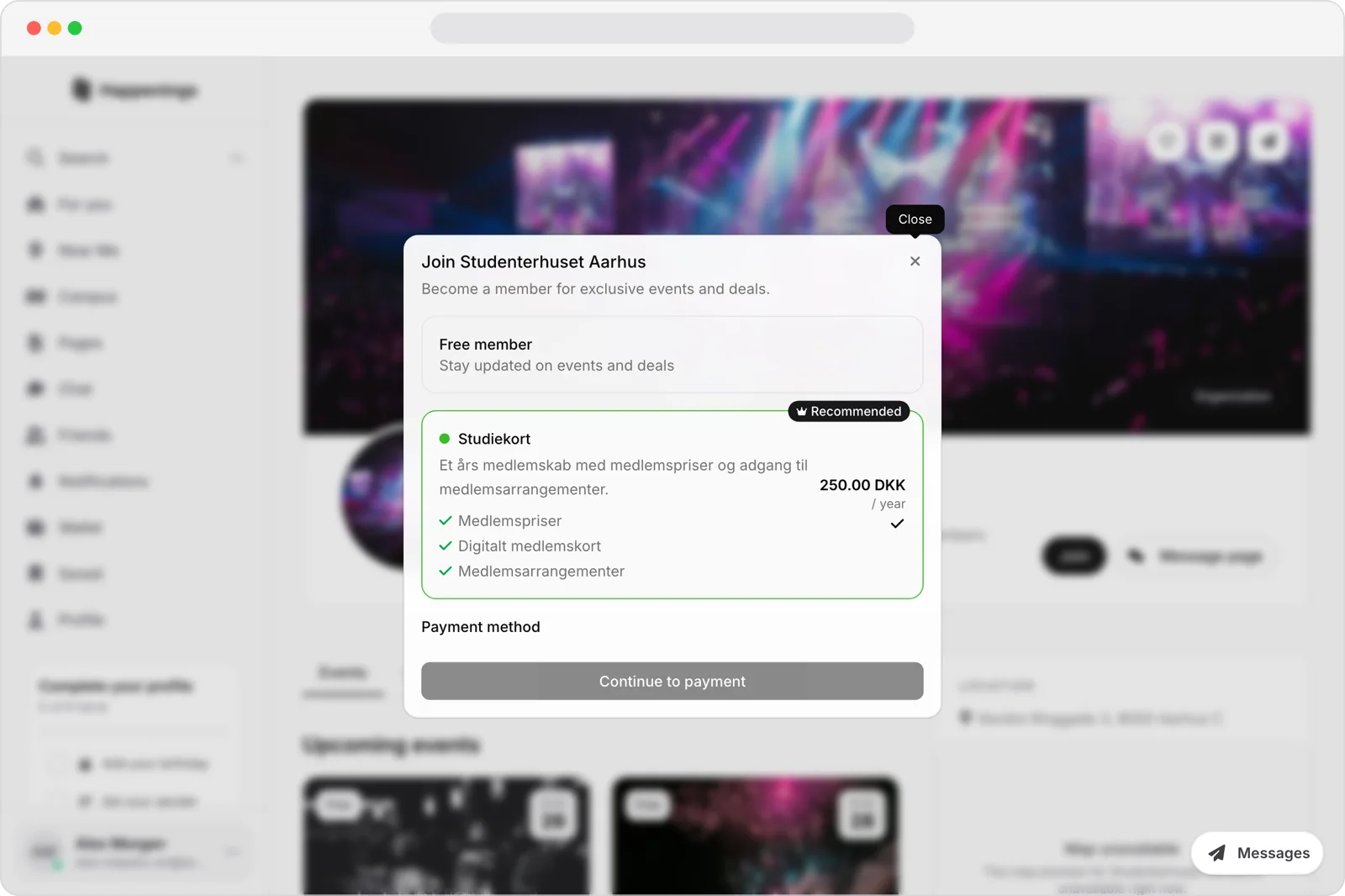
Confirm your membership
Choose one of the available memberships. For a paid membership, review the price and benefits, then select “Continue to payment.”
Learn how to open a Happenings page and choose a membership.
membershipsguide